The last missing piece of your projector.
Where tedious typing flows at your fingertip. Remote, keyboard, touchpad, air mouse, voice and text — six control modes, one direct BLE link, one app.
Six moments Lumina Go is there to save.
Every feature in Lumina Go exists because someone got stuck. These are the scenarios that kept coming back — and what we built to solve them.
“The stick remote is missing. Again.”
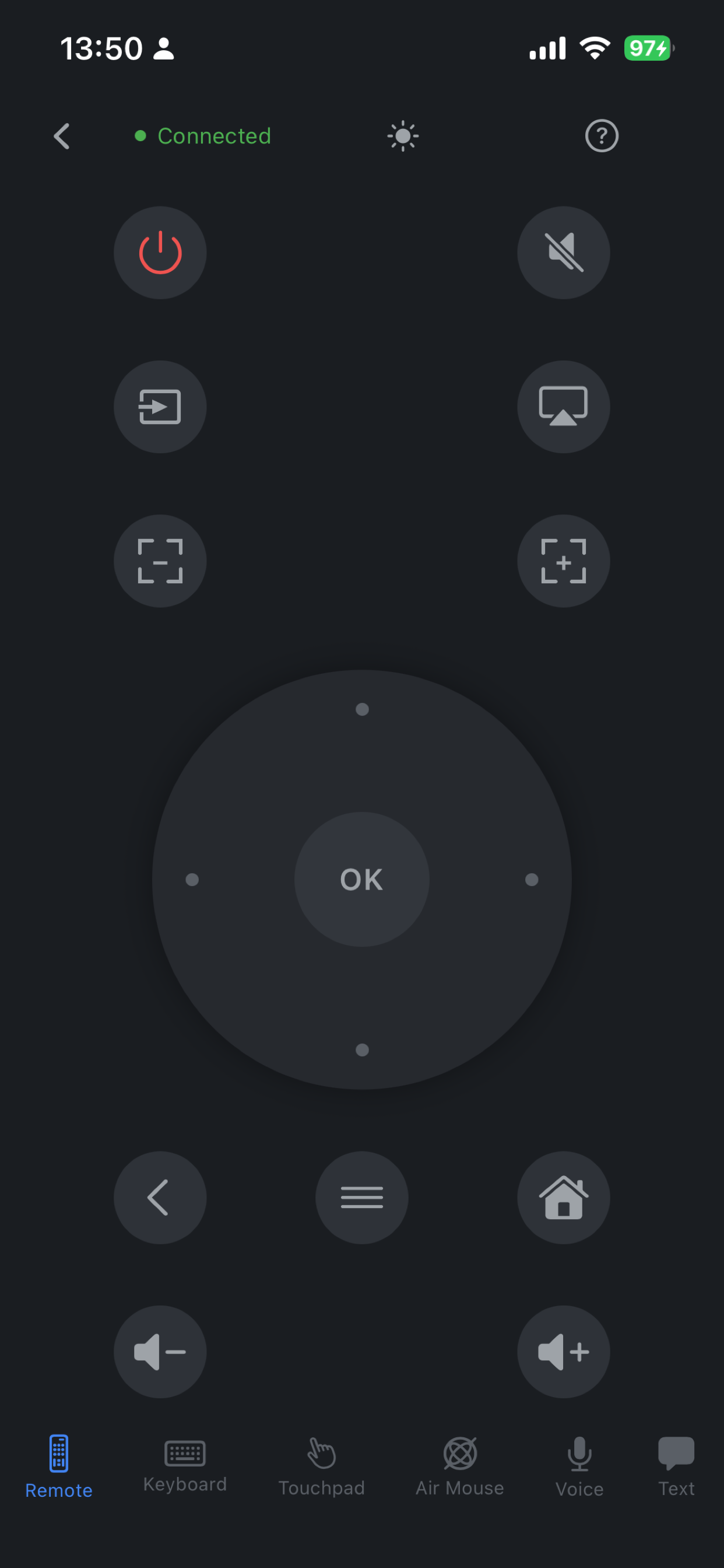
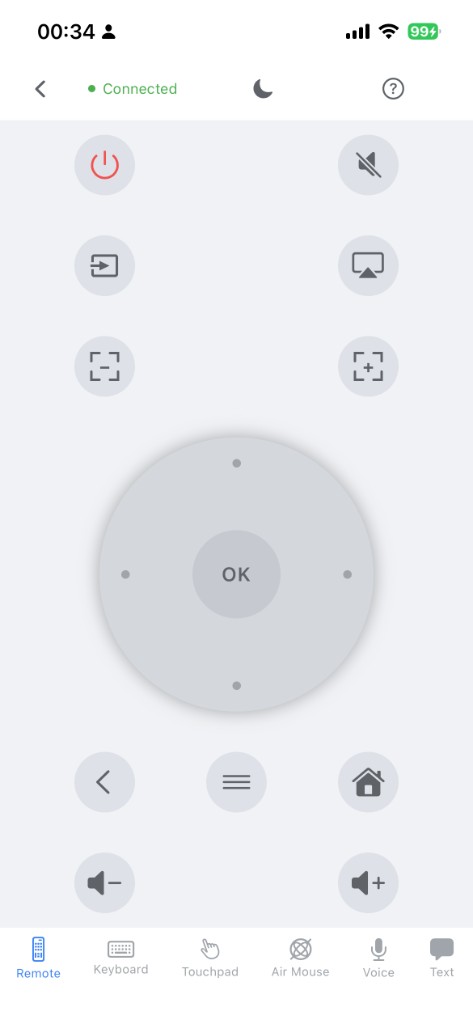
Projector remotes seem engineered to fall between sofa cushions. Lose one and a powerful machine becomes a very expensive paperweight. Lumina Go drops a full BLE remote back into the phone you already carry everywhere.
- 4-way D-pad + center OK, the same keys as the original
- Power · Mute · Source · Cast · Brightness · Zoom · Volume
- Sub-20 ms BLE response at up to 10 m, no pairing ritual
“This app is unusable with a D-pad.”
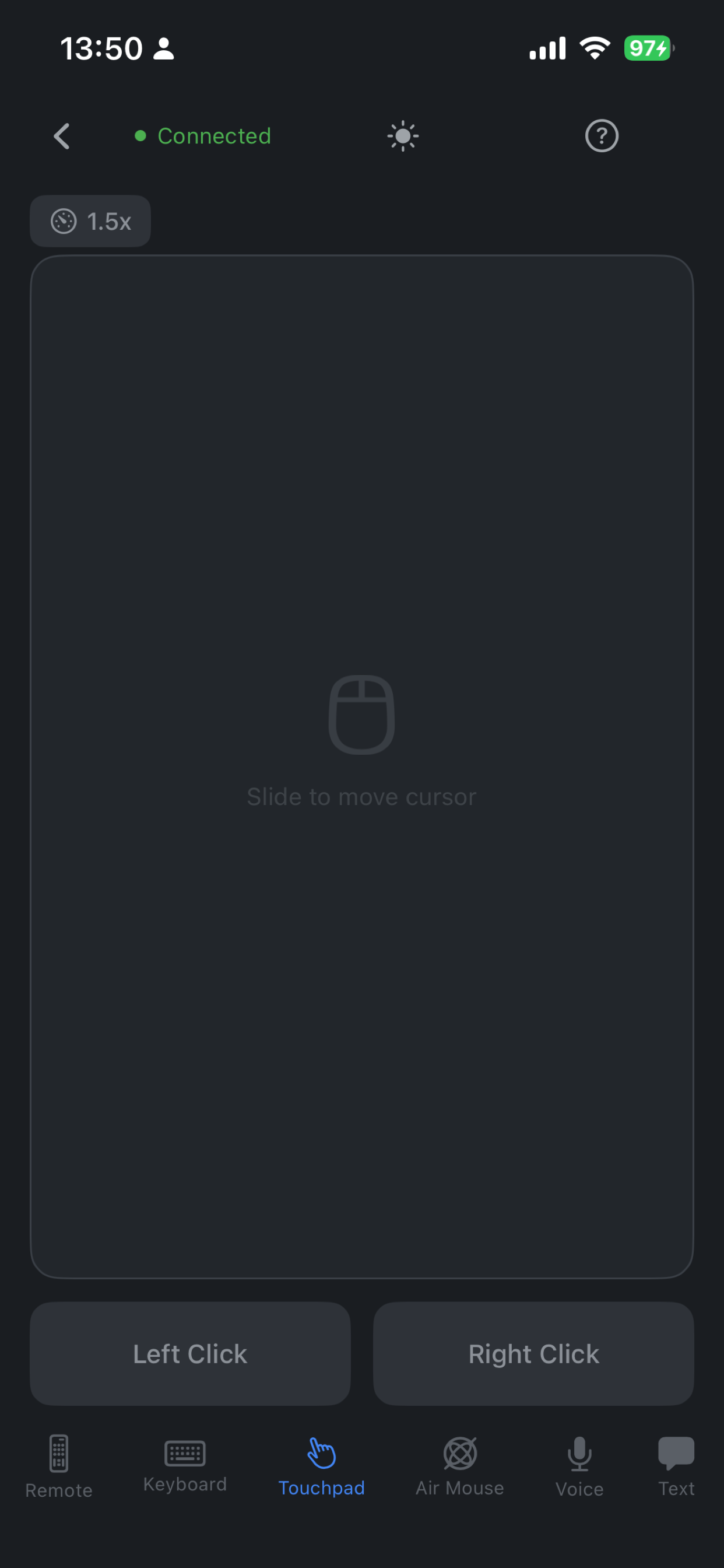
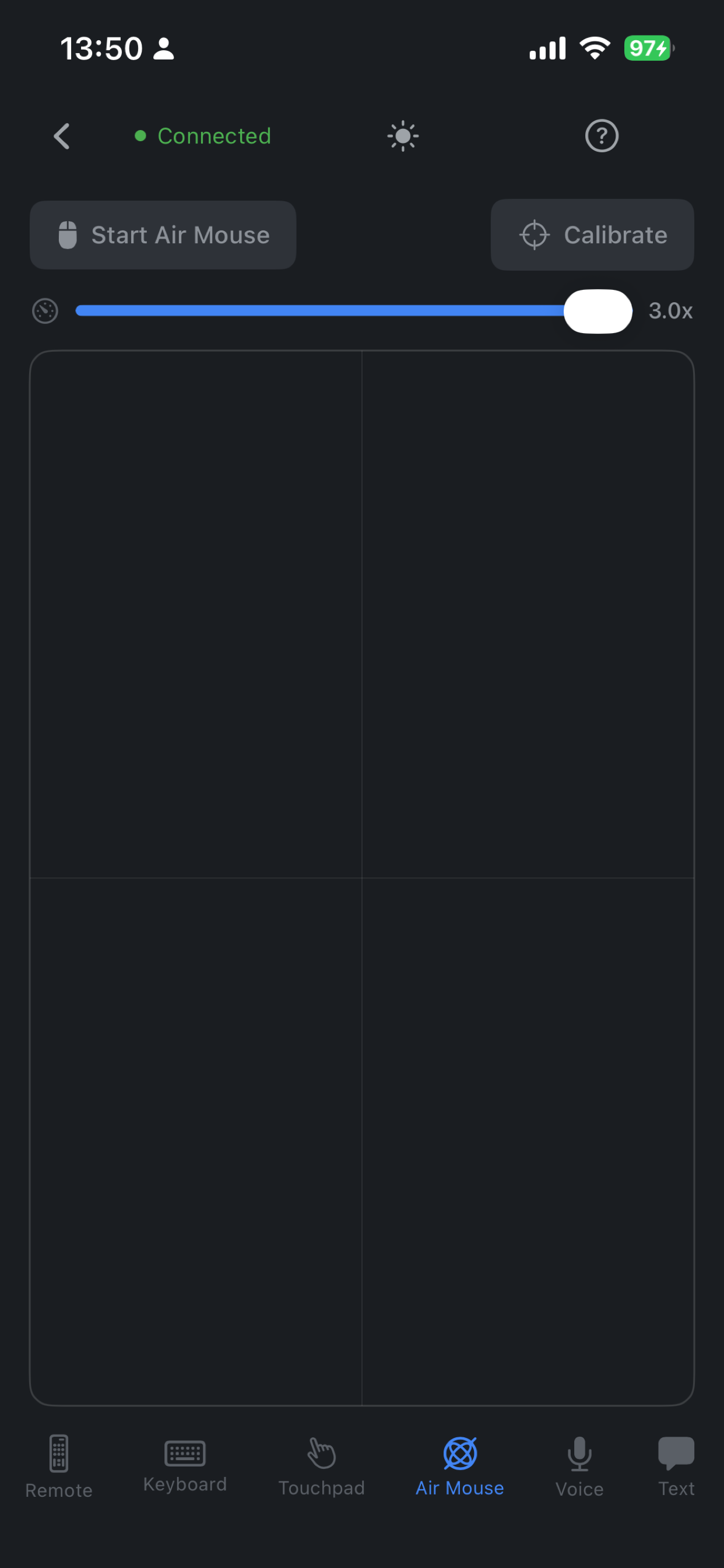
Browsers, casual games, store UIs — lots of apps quietly assume a cursor. Plugging a USB mouse into the projector is clumsy. Lumina Go gives you two cursor-grade options in one app: a precise touchpad, and a full-motion air mouse.
- Touchpad: slide-to-move + Left / Right Click, sensitivity up to 1.5×
- Air mouse: gyro + accelerometer fused on-device, sensitivity up to 3.0×
- One tap at the bottom to switch between the two
“Entering my Wi-Fi password shouldn't be a puzzle.”
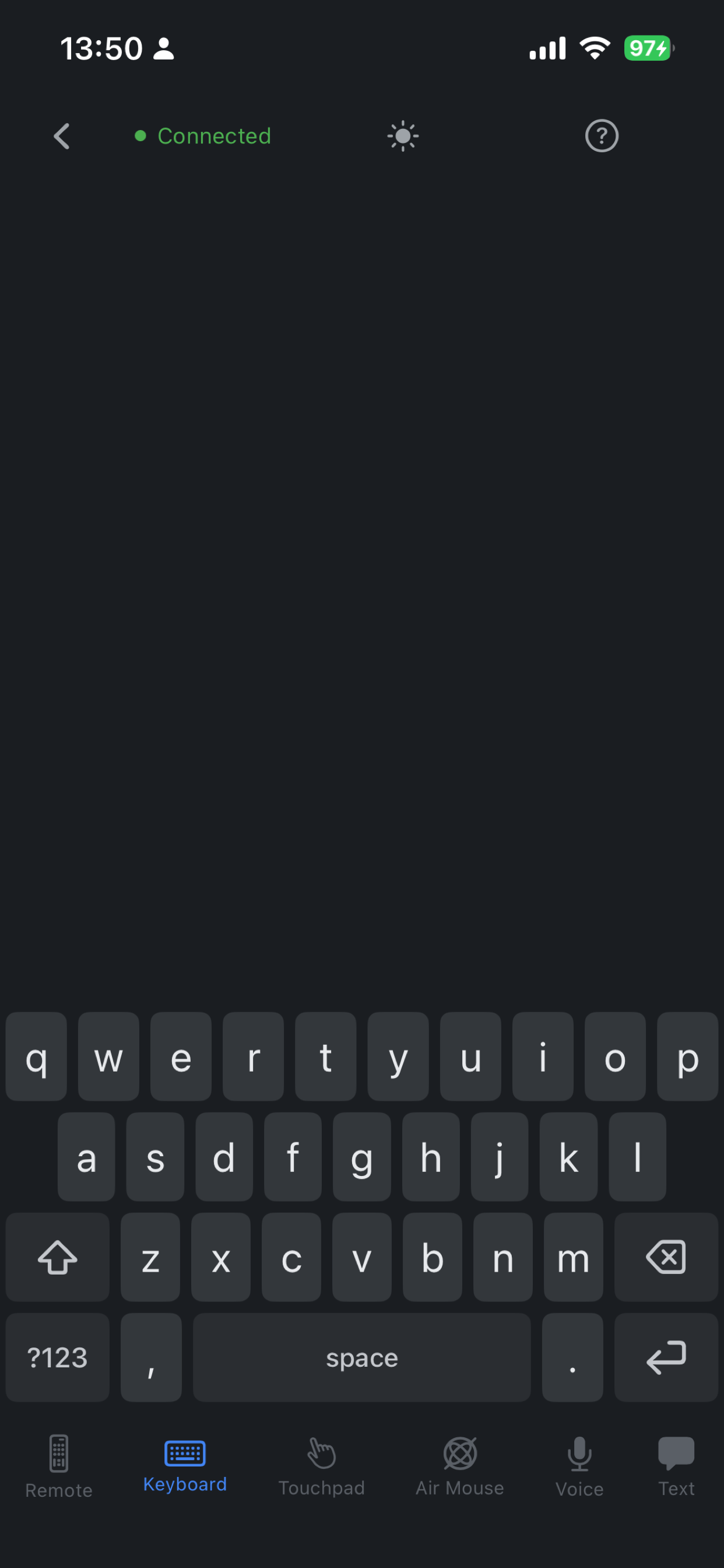
Projectors ship with some of the worst on-screen keyboards in consumer electronics. A 16-character Wi-Fi key can take minutes, and one wrong hop means starting over. Lumina Go lays a full QWERTY on the device you already type on every day.
- Complete QWERTY with numbers and symbols one tap away
- Stays in sync with whatever text field the projector has focus on
- Enter, backspace, space — exactly where your thumbs expect them
“Just paste the password. Just paste the URL.”
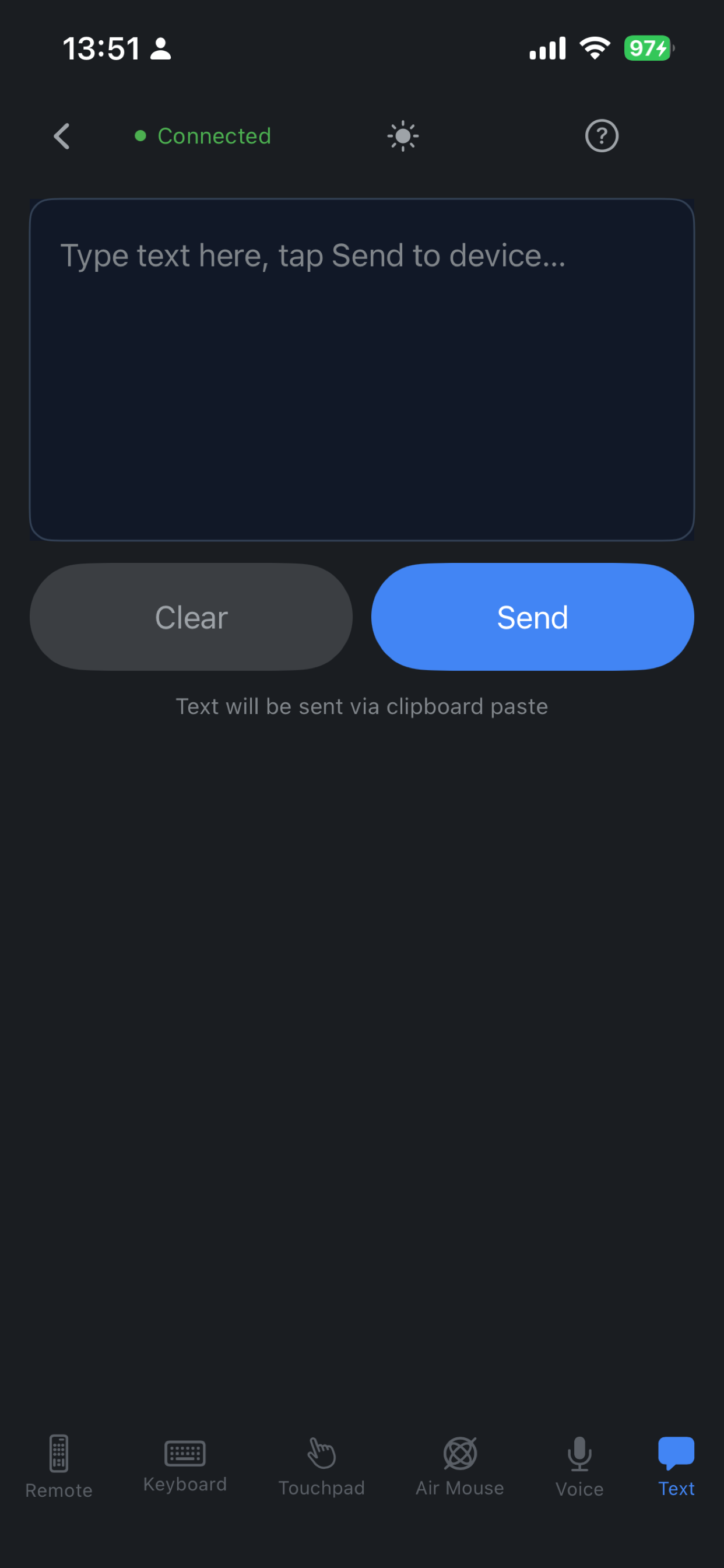
Some things shouldn't be typed letter by letter — 40-character Wi-Fi keys, a friend's share link, a foreign movie title. Write or paste on the phone, hit Send, and Lumina Go delivers it via clipboard paste on the projector in one go.
- Edit and review the text on the phone before sending it
- Great for URLs, search queries, long titles, Wi-Fi keys
- Pastes into whichever text field the projector currently focuses on
“‘Search Breaking Bad Season 3’ — if only.”
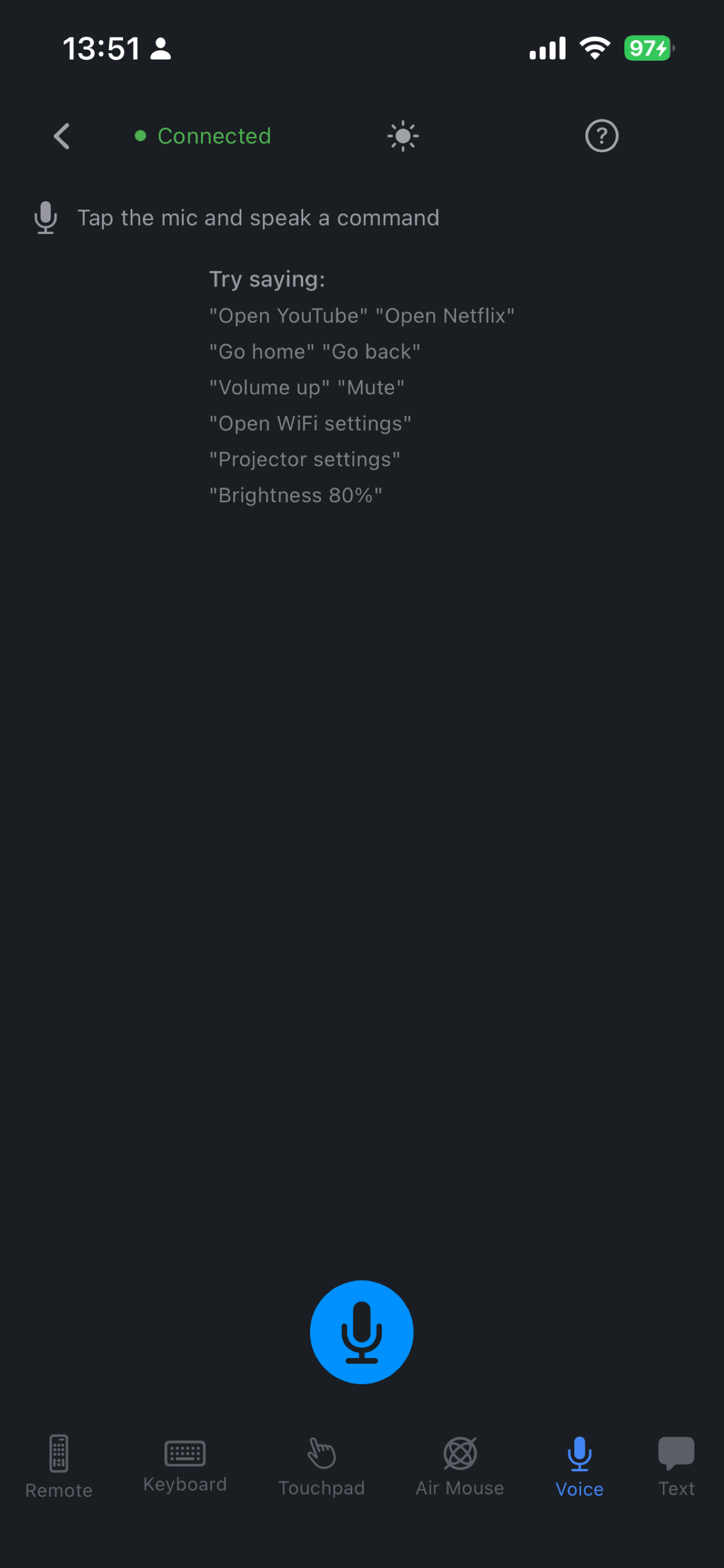
Modern TVs ship with voice assistants. Most projectors don't — or they do, but only inside the maker's own apps. Lumina Go turns your phone into the voice remote your projector never had, using your phone's world-class speech stack and 50+ projector intents parsed on-device.
- “Open Netflix” · “Brightness 80%” · “Open Wi-Fi settings” · “Go home”
- Uses your phone's native speech recognition — no wake word needed
- Parsed locally — audio and transcripts never leave the phone
“Why is my image green? How do I enter Bluetooth-speaker mode?”
Manuals are long. Forum answers are old. Lumina Go ships with an AI projector assistant, built on frontier LLMs (ChatGPT-class) layered with the last few years of our own projector engineering notes and troubleshooting playbooks. Tap the ? on any screen and ask in any language.
- Answers are aware of the exact projector model and firmware you have
- Trained on our own troubleshooting playbooks and user-manual content
- Chats in English, 中文, 日本語, Español
“It's 1 AM. Why is my phone a flashlight?”
You dim the lights, queue the movie, grab the phone to tweak the volume — and a pure-white UI blasts your eyes back open. Most remote apps never thought about this. Lumina Go ships with two hand-tuned themes: a crisp daytime palette, and a cinema-friendly night theme that auto-follows your phone's system appearance.
- Auto day / night — follows iOS & Android system appearance, or override by hand
- Every screen designed twice — Remote, Keyboard, Touchpad, Air mouse, Voice, Text
- OLED-friendly true blacks at night, high-contrast readability by day
We're just getting started.
Every scenario above came from a real user who got stuck. If there's still a moment we haven't covered — or something that isn't working for you — tell us. You'll see it in the next release.
Free on the App Store and Google Play
Scan a code with your phone camera to install. Lumina Go is free, has no ads, and works fully offline.